Weather Mate - Local Weather
BersamakittaWeather
4.135.00 Reviews
- Version
- 1.0.26
- Installs
- 100.00K
- Age Rating
- Everyone
Screenshots
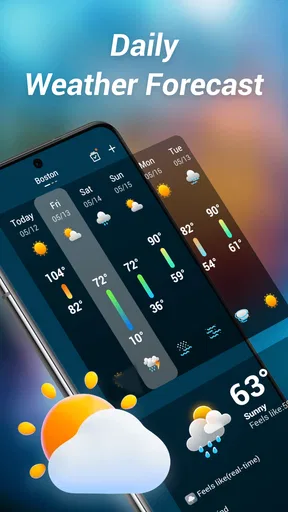
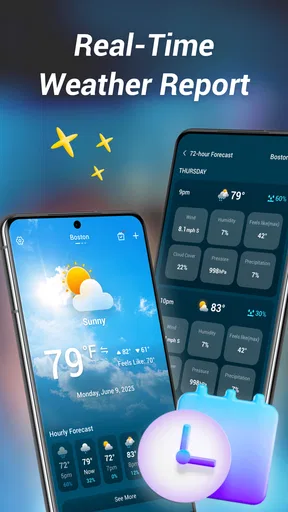
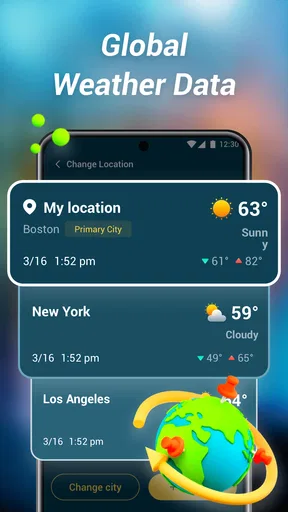
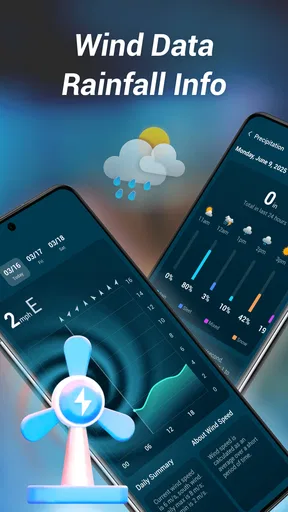
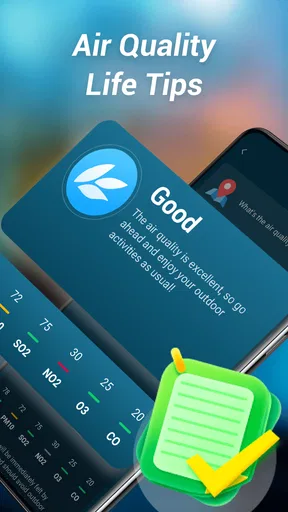
Our Review of Weather Mate - Local Weather
 Analysis by Appyee
I spent time using Weather Mate - Local Weather as a straightforward daily weather companion, and its appeal became clear quickly: it keeps the focus on checking what the day is likely to feel like rather than turning a simple forecast into a crowded dashboard. It is a free weather app from Bersamakitta, aimed at people who want a local forecast and a dependable daily report without paying for access.
The app is listed for Everyone, so it is an easy recommendation for a shared household device or for someone who wants a simple weather tool without an intimidating interface. Its current version is 1.0.26, and it works on Android 7.0 or later. That broad device support matters if you are using an older phone and do not want to replace a familiar device just to install a weather app.
My overall impression is positive, with an important qualification: this is best treated as a practical everyday forecast tool, not as a specialist system for severe-weather planning, professional fieldwork, or detailed meteorological analysis. If your routine is built around deciding whether to carry an umbrella, when to leave home, or whether an outdoor plan looks comfortable, it fits naturally. If you need deep radar interpretation, highly technical weather layers, or a large ecosystem of widgets and alerts, a more advanced alternative may suit you better.
How I built a useful daily routine around it
The most effective way to use Weather Mate is to make it part of a repeatable habit rather than opening it only when the sky already looks threatening. I check the local report in the morning, compare it with the practical demands of my day, and then look again before leaving for a longer trip. That second glance is useful because a forecast is a planning aid, not a promise that conditions will remain unchanged.
For a normal workday, I would use the app to answer three simple questions. Do I need rain protection? Will clothing suitable for the morning still make sense later? Is an outdoor errand worth scheduling now or postponing? Keeping those questions in mind prevents the common mistake of staring at weather information without turning it into a decision.
A realistic example is a school run followed by an afternoon appointment. I would check the local forecast before leaving, prepare an umbrella if rain appears likely, and then consult the report again before walking home. That small two-check routine is more useful than treating one morning glance as a guarantee for the entire day.
I also found that the app works best when the selected location matches the place where I actually spend time. A forecast for home may be unhelpful if the day is split between a suburb, a city center, and a workplace near the coast. In that situation, I would deliberately check the relevant location before each part of the journey instead of assuming nearby places always share identical conditions.
The practical strength here is not complexity; it is reducing the number of decisions I have to make before starting the day. The app’s store summary describes a local weather forecast and daily weather report, and that focus comes through in use. It encourages a quick check that can become automatic, especially for people who do not want to learn a complicated weather interface.
What the first check should accomplish
When I open a weather app, I do not need every available detail at once. I first want the location to be correct and the day’s outlook to be easy to understand. With Weather Mate, that basic sequence keeps the experience calm: confirm where the report applies, read the day as a whole, and then decide whether I need a closer look.
This approach is particularly helpful for older users or anyone who finds information-heavy weather services tiring. The app is not competing with a full forecasting workstation on equal terms. Its value is that it can sit in the middle ground between a vague glance through a window and a highly technical weather service.
For commuting, I would avoid making decisions from a single symbol alone. A cloudy icon can still represent a comfortable day, while a small rain indication may be important if I am walking rather than driving. I use the report as context for the activity I have planned, not as a substitute for judgment.
Settings worth checking before relying on it
Experienced users usually get more from a weather app by checking its basic configuration once, rather than repeatedly correcting the same problem. In Weather Mate, the first setting I would review is the location. A local report is only useful when it reflects the place I care about, so I would make sure the app is showing the intended town or area before building a routine around it.
I would also review the app’s available display and update choices instead of accepting every default automatically. The right arrangement is personal: someone who checks the forecast only in the morning may prefer a clean, compact view, while someone working outdoors may want the daily information immediately visible. I would keep only the information that changes my decisions and avoid turning the screen into a checklist of details I never use.
Another sensible habit is to check the app after installation and again after an update. Version 1.0.26 is still a relatively early version in the life of an app, so I would pay attention to whether the experience remains consistent on my particular phone. That is not a criticism by itself; it is simply good practice with any developing utility, especially one used as part of a daily routine.
Because the app supports Android 7.0 and later, it can be a useful option for older Android hardware. Still, I would judge the experience on the actual device rather than assuming broad compatibility means identical performance everywhere. Screen size, system settings, and the phone’s age can affect how comfortable a weather interface feels.
I would also think carefully about when I want to consult the forecast. If I prefer manual checks, I can open the app at predictable points in the day. If my phone offers system shortcuts or notification controls, I would use those only if they make the routine faster and remain clear. The important principle is to avoid adding a shortcut that encourages me to glance at weather information constantly without making better plans.
Faster patterns for busy mornings
The quickest workflow I found is a three-stage scan. First, confirm the location. Second, read the overall daily report. Third, connect it to the day’s most weather-sensitive activity. That might be a walk, a bike ride, laundry, a sports session, or a long wait at a bus stop. This takes less effort than opening several screens and usually produces a better decision.
For people who leave home at the same time each day, checking the app immediately after waking can become a reliable trigger for choosing clothes and preparing a bag. I would not treat that as the final word, though. If the day includes a late return or an outdoor event, I would perform a second check before leaving work or school.
There is also a useful distinction between a forecast for convenience and a forecast for safety. For convenience, a simple daily report may be enough. For safety-critical situations, I would compare the information with official local warnings or a more specialized weather service. Weather Mate can remain part of the routine, but I would not make a lightweight daily app my only source when conditions could affect travel or personal safety.
Another efficient pattern is to check before committing to an activity, not after. If I am deciding whether to schedule a park visit, wash clothes outside, or take a long walk, the forecast has more value before the decision is fixed. This sounds obvious, but it changes the app from a passive information source into a small planning tool.
I also prefer to keep my interpretation consistent. If I cancel plans every time the forecast looks slightly uncertain, the app becomes a source of unnecessary hesitation. Instead, I decide in advance what conditions would genuinely change my plan. That personal threshold makes the daily report more useful and prevents overreacting to normal forecast variation.
Where the app fits beside familiar alternatives
Weather Mate sits between the basic weather screen already included on many phones and feature-heavy services that offer extensive maps, radar views, alerts, and customization. Compared with a built-in weather panel, a dedicated app can feel more intentional because I am opening it specifically to read a local daily report rather than noticing a small temperature indicator while doing something else.
Compared with advanced weather platforms, its attraction is restraint. Someone who wants a quick answer may appreciate not having to navigate layers of information. On the other hand, a user who follows storms closely, compares several forecast models, or needs detailed visual movement may find the experience too limited. In that case, the more specialized service is better, even if it takes longer to learn.
The app’s free price makes this comparison easier. I can try it as a daily tool without committing money, which is useful if I am mainly looking for a simpler alternative to an overloaded weather app. Its audience size also suggests that it has reached a meaningful group of Android users: it has passed one hundred thousand installs and holds a 4.1 average from roughly eight hundred ratings. Those figures do not guarantee that it will suit every phone or routine, but they indicate that it is not an obscure experiment with no visible user base.
I would still avoid choosing a weather app solely because it has a respectable rating. Weather preferences are personal, and local accuracy can feel different from one area to another. I care more about whether the location is clear, the report is readable, and the information helps me make decisions without friction.
Advanced limits that matter in real use
The main limitation is the same quality that makes the app approachable: a focused daily forecast cannot answer every advanced weather question. If I need to study changing conditions minute by minute, inspect a radar image, or plan around specialized outdoor work, I would look for a service built around those tasks. Weather Mate is more comfortable as a daily companion than as a complete weather laboratory.
I would also be cautious about interpreting the word “reliable” too broadly. A weather report can be dependable as a general guide while still being wrong about the exact timing or intensity of a local change. For a short walk, that uncertainty may be manageable. For a flight connection, mountain outing, marine activity, or emergency preparation, I would consult more authoritative and specialized sources as well.
There is a second trade-off in simplicity. Users who enjoy customizing every part of a weather screen may find fewer reasons to stay with this app than with a larger platform. That is not necessarily a flaw. Extra controls can improve precision for one person and create noise for another. I would choose Weather Mate when I want the forecast to stay in the background of my routine, not become a hobby in itself.
Data freshness is another reason to build a sensible habit. I would not open the app once in the morning and assume that every later decision is covered, especially when the day’s plans change. A quick repeat check before a long journey is a better use of the app than trying to memorize the first report.
Finally, the app is currently available for Android rather than serving as a universal cross-platform solution in my routine. If I regularly switch between Android and iOS and need the same weather setup everywhere, I would compare that requirement with the convenience of using one dedicated Android app. For an Android user with one main phone, this is much less of a concern.
Who should install it, and who should skip it?
I would recommend Weather Mate to someone who wants a free, local weather app for ordinary planning: commuting, school runs, errands, walks, simple travel preparation, and deciding what to wear. It is also a reasonable choice for users with older Android phones because the minimum operating system is Android 7.0, not a recent release that excludes aging devices.
It makes particular sense for people who dislike clutter. If a weather app’s maps and panels make a quick forecast feel like work, this focused approach may be refreshing. The Everyone content rating also makes it suitable for a broad household audience, including someone who wants a simple tool rather than a technical dashboard.
I would skip it if my main reason for installing a weather app is advanced storm tracking, detailed outdoor forecasting, or deep historical and comparative analysis. I would also look elsewhere if I need a single synchronized experience across different mobile platforms. Those needs call for a broader service, even if that service feels busier.
My final routine and verdict
After using it, my preferred routine is simple: check the local report in the morning, connect it to the day’s most important outdoor decision, and check again before a longer trip or a late change of plans. I would verify the location and review the app’s basic display choices early, then leave the rest of the experience alone unless it stops serving that routine.
That is where Weather Mate - Local Weather earns its place. It does not need to become the most powerful weather tool on my phone to be useful. It needs to make the everyday forecast easy to consult and easy to act on. In that role, the app from Bersamakitta is convincing, especially because it is free and accessible on older Android versions.
My recommendation is therefore specific rather than universal: choose it if you want a calm daily forecast and are happy to make practical decisions from a concise local report. Choose a more advanced alternative if weather is central to your work, safety, or outdoor planning. For everyone in between, the best way to get value from this app is to pair its quick forecast with a repeatable habit, not to expect it to replace every other source of weather information.
Verdict
Strengths of Weather Mate - Local Weather
- Clean interface makes forecasts easy to scan at a glance.
- Provides useful local conditions for planning daily activities.
- Weather alerts can help users prepare for changing conditions.
- Supports weather information for multiple saved locations.
- Forecast details are presented in a practical, readable format.
Limitations of Weather Mate - Local Weather
- Forecast accuracy may vary depending on location and data coverage.
- Some features or details may require an internet connection.
- Frequent alerts can become distracting if not customized.
- The app may use extra battery when location access stays enabled.
- Advertising or premium prompts may affect the overall experience.
Other Releases by Bersamakitta
View All
FindMe - Location Share
Maps & Navigation4.2
Similar Picks in This Category
View All
Weather - By Xiaomi
Xiaomi Inc.4.1

Weather & Radar Forecast
WetterOnline4.8

Weather
OneLouder Apps4.6

AccuWeather: Weather Radar
AccuWeather3.6

The Weather Channel - Radar
The Weather Channel4.6

1Weather Forecasts & Radar
OneLouder Apps4.3
Frequently Asked Questions
What is Weather Mate - Local Weather?
Weather Mate - Local Weather is a weather app designed to provide forecasts and current conditions for selected locations. After exploring its main features, the app appears focused on practical daily information, including temperature, precipitation, wind, and general weather trends. It can be useful for planning commutes, outdoor activities, travel, or simply checking whether you need an umbrella before leaving home.
How accurate are the forecasts in Weather Mate - Local Weather?
Forecast accuracy depends on the weather data sources, your location, and how far ahead you are checking. In general, short-term forecasts are more reliable than predictions several days into the future, especially during rapidly changing conditions. Weather Mate can be a convenient guide for everyday planning, but users should still verify severe-weather alerts through official local authorities when safety-critical decisions are involved.
Does Weather Mate - Local Weather support multiple locations?
The app is intended for users who want to monitor weather in one or more places, such as their home, workplace, vacation destination, or a family member’s city. Adding locations can make it easier to compare conditions without repeatedly searching. Before downloading, check the current app version and device compatibility, since the exact number of saved locations and available location-management options may vary.
What permissions does Weather Mate - Local Weather require?
A weather application may request location access so it can automatically display conditions for your current area. Depending on the platform and enabled features, it may also use notifications for forecasts or weather warnings. You can usually choose approximate location access or enter a city manually. Review the permission prompts carefully and disable any access that is unnecessary for the way you plan to use the app.
Is Weather Mate - Local Weather free to download and use?
Weather Mate - Local Weather may be available as a free download, but the overall experience can depend on the version offered through the Android or iOS store. Some weather apps include advertising, optional purchases, subscriptions, or premium features such as extended forecasts and an ad-free interface. Check the store listing for the latest pricing, in-app purchase details, and any subscription terms before installing.
